How to Check DHA Medical Fitness Application Status in Dubai: A Complete Guide
Tags: dha medical fitness, dha medical fitness application, dha medical fitness application status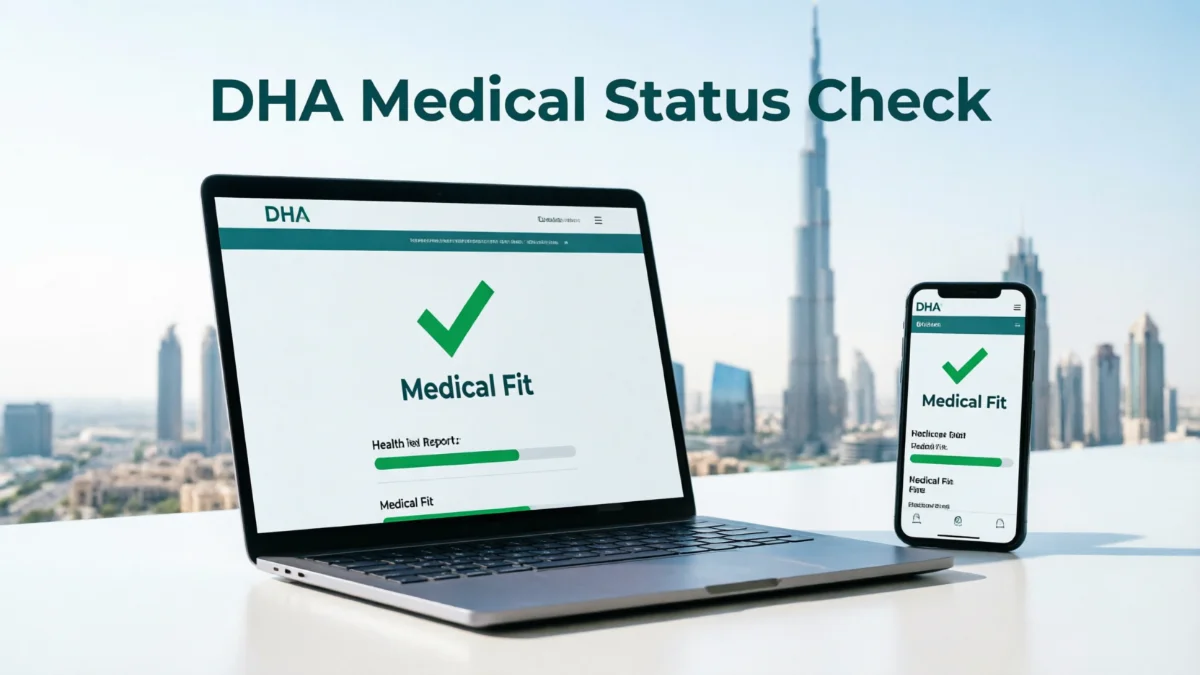
If you have completed the Dubai medical fitness test and are awaiting the results, you can check the status of your DHA medical fitness application online. The Dubai Health Authority (DHA) updates the status on its official website and the DHA smart app, so you do not need to visit the medical fitness center just to find out if your report is ready.
Here is the entire guide on how to check your DHA medical fitness application status online, what your results mean, what to do if your result is delayed, and how to download your official report.
What You Need Before You Check Your Status
Before opening the website or app to check the DHA medical fitness result, you must gather the following information. Having these details ready can help avoid hassles and errors related to validation:
- Application Number or Transaction/Reference Number (printed on the receipt you received after your blood test and X-ray).
- Passport Number or Emirates ID Number.
- Date of Birth (required for identity verification on the web portal).
Step-by-Step: How to Check Your Medical Report Online in Dubai
You have several reliable and official ways to view your results. Choose the method that works best for you.
Method 1: Using the DHA Website
This is the most straightforward way to view and save your official document.
- Go to the official Dubai Health Authority website: dha.gov.ae.
- Look for the “Services” tab in the main menu.
- From the dropdown list, click on “Medical Fitness Services.”
- Find and select the option labeled “Check Medical Fitness Application Status” or “View Medical Report.”
- Enter your details: Input your Application or Transaction Number, Passport or Emirates ID number, and your Date of Birth.
- Click the “Submit” button.
- Once the medical report is available, you can also download it as a PDF. Save a copy on your phone or computer, as you may need it later for the visa process.
Method 2: Using the DHA Smart App (Best for Mobile)
The DHA app keeps all your health records in one place and is highly reliable for quick checks.
- Download the official DHA Smart App from Google Play or the Apple App Store.
- Create an account or log in with your existing DHA account.
- You can also sign in using UAE Pass.
- Open Other Services.
- Tap Check Medical Fitness Test Status.
- Enter your request reference number, date of birth, and passport number.
- Tap Check Status to see the latest update.
- Your current result and report details will display immediately on your device screen.
(Note: You can also check your status through the DubaiNow app under the Health section, provided your profile is linked via UAE Pass).
Method 3: Using the DubaiNow App
The DubaiNow app brings together all Dubai government services on a single platform.
- Download and open the DubaiNow App.
- Log in using your UAE Pass.
- Tap on the “Health” section, then select “Dubai Health Authority (DHA)”.
- Look for the “Medical Fitness” service and enter your application details (or view it directly if linked to your profile) to check status.
What Your DHA Medical Status Actually Means
Your application may show different statuses. Here is what each one usually means:
| Status | Simple Meaning | What You Should Do |
|---|---|---|
| In Process / Pending | DHA is still checking your medical result | Wait and check again after some time |
| Completed | Your medical report is ready | View or download the report |
| Fit | You have passed the medical fitness test | Continue with your visa process |
| Unfit | A medical issue may affect your visa approval | Follow DHA instructions carefully |
| On Hold / Under Review | DHA needs more time, documents, or verification | Contact DHA or follow the given instructions |
How Long Does the DHA Medical Test Result Take?
In many cases, DHA medical fitness results are available within 24 hours of the test. However, the exact timeframe depends on the type of medical test, the volume of applications at the center, and whether the DHA requires further verification.
Some applicants may receive their results within 3 to 5 working days, particularly if additional checks are required. If your status does not change after this period, please contact the DHA with your reference number.
Troubleshooting: What If Your Status Is Stuck?
If your status has been “Under Process” for more than 48 hours (Standard) or 12 hours (VIP), take these steps:
- Wait for Test: Wait at least 24 to 48 hours after your medical test.
- Check your spam folder: Wait for the SMS or email from the DHA requesting additional documents or follow-up tests.
- Double-check your entry: Ensure that you have typed your application number and passport number exactly as they appear on your receipt. Even a single incorrect digit will prevent the search from proceeding.
- Call the DHA: Dial 800 342 (toll-free inside the UAE) and speak to a customer service representative.
- Visit the center: If all else fails, go back to the specific Medical Fitness Center where you took the test. Bring your original receipt, and the front desk can look up your file manually.
DHA Contact Details for Medical Fitness Help
If you cannot find your application or your status is showing an error, contact DHA through these official options:
| Contact Method | Details |
|---|---|
| Toll-free number in UAE | 800 342 |
| Phone number outside UAE | +971 4 219 8888 |
| Online support | DHA Live Chat and Online Help Centre |
DHA support is available 24/7 through these channels. Keep your application number and passport details ready before calling.
FAQs
Can I check my DHA medical fitness status without logging in?
Yes, in many cases, you can check it via the DHA online service using your reference number, passport number, and date of birth.
Can I download my DHA medical report online?
Yes, once the report is ready, you can generally view it online and download a PDF copy.
Is the DHA medical fitness certificate compulsory for a Dubai residence visa?
Yes, most foreign nationals applying for a Dubai residence visa or work permit must complete the DHA medical fitness test.
Conclusion
Checking the status of your DHA medical fitness application online is quick and easy. Use the official DHA website or the DHA Smart App, enter your reference number and passport details, and you can view whether your report is pending, fit, under review, or unfit.
If the status shows ‘Fit’, download the medical fitness certificate and proceed with the visa process. If it indicates ‘Requires Further Investigation’, complete the follow-up tests as soon as possible. In case of any delays or issues, contact DHA at 800 342 with your application details.