EHS Health Card Status Check Online UAE: Step-by-Step Process 2026
Tags: ehs health card, ehs health card status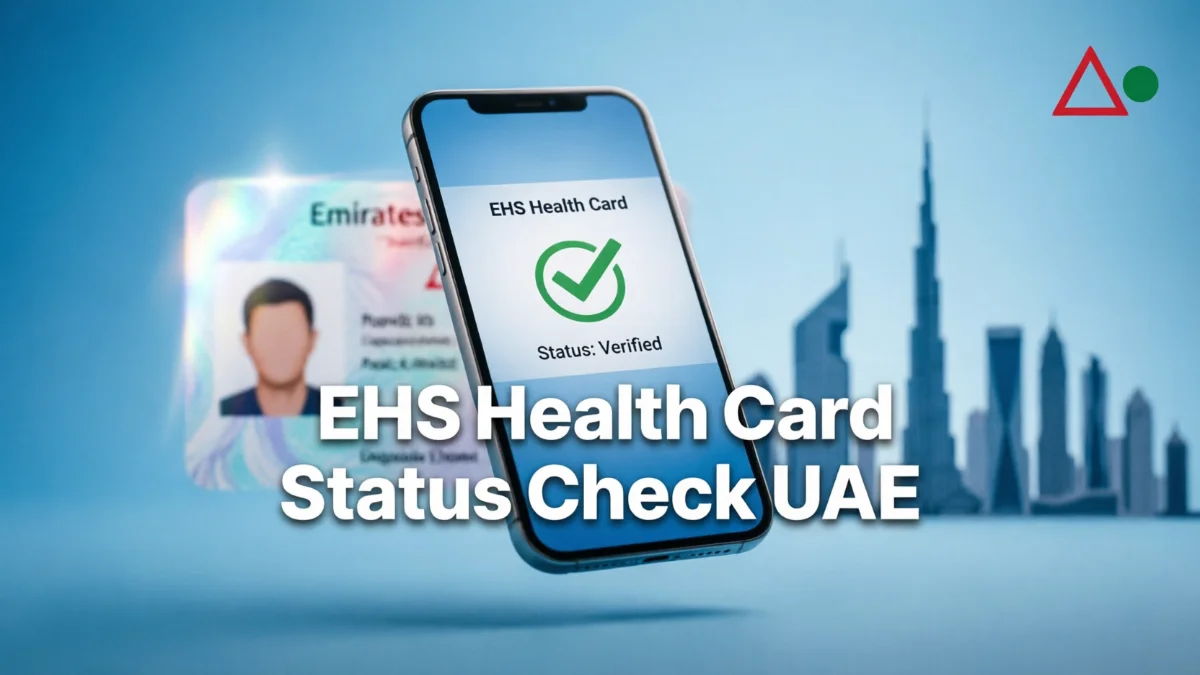
If you have recently applied for a new Emirates Health Services (EHS) health card or submitted a request to renew it, you do not need to queue at a Customer Happiness Centre or visit a typing office just to get an update.
Through the official Health Card System portal and smart channels, citizens, GCC nationals, expatriate residents, and eligible visitors can track application progress and verify card validity online in minutes.
Here is a practical, step-by-step walkthrough on how to check your EHS health card status online, what each status message means, and how to fix common tracking issues.
What Is an EHS Health Card?
An EHS Health Card grants cardholders access to medical treatment and subsidized consultations across hospitals, clinics, and primary healthcare centers managed by Emirates Health Services.
EHS facilities are located in the Northern Emirates: Sharjah, Ajman, Umm Al Quwain, Ras Al Khaimah, and Fujairah. (If you live in Dubai, your health card is managed by the Dubai Health Authority (DHA). If you live in Abu Dhabi or Al Ain, it is managed by the Department of Health (DOH).)
EHS Card vs. Private Health Insurance
It is important to know that an EHS Health Card is not private health insurance. It does not give you cashless coverage at private clinics or private hospital networks. The subsidized rates apply strictly within the federal government healthcare network, based on your patient category (Emirati, resident expat, GCC citizen, or visitor).
Details You Need Before Checking EHS Health Card Status
To run a quick search or log in, keep the following credentials ready:
- Emirates ID Number: The 15-digit number issued by the ICP (Federal Authority for Identity, Citizenship, Customs & Port Security).
- EHS Health Card Number: Required only if you are checking the validity of an existing card.
- Date of Birth: Used for identity verification on public lookup forms.
- Registered Mobile Number: The number tied to your EHS or ICP profile to receive OTP verification codes.
- UAE PASS Credentials: Required if you are tracking a detailed service request through your official government account.
How to Check EHS Health Card Status Online (Step-by-Step)
There are two main ways to check the status of your card: a quick public inquiry for existing cards, or detailed application tracking for new requests.
Method 1: Instant Search via the EHS Health Card Portal (Fastest)
If you already have a card and want to verify whether it is active, expired, or properly linked to your Emirates ID, use the direct inquiry portal.
- Visit the Official Portal: Open your browser and go directly to the official EHS sub-portal: hcr.ehs.gov.ae/OnlinePortal.
- Choose Your Search Method: Select your preferred identifier from the search options (usually Emirates ID or Health Card Number).
- Enter Verification Information: Type your 15-digit Emirates ID without hyphens or spaces, enter your date of birth, and complete the on-screen CAPTCHA code.
- Submit and Review: Click Search. The system will display the cardholder’s name, health card number, issue date, validity status, and official expiration date.
Method 2: Track a New Application or Renewal via UAE PASS
If you applied recently and need to see the internal review progress of your transaction:
- Visit the main Emirates Health Services website at ehs.gov.ae or open the EHS UAE mobile application.
- Click Login and select UAE PASS. Authenticate the request on your smartphone.
- Head to your personal profile or the Dashboard / My Requests section.
- Locate your submitted health card transaction.
- Click on the reference number to read the real-time processing stage and any notes left by the reviewing officer.
Understanding Your EHS Application Status
| Status Displayed | What It Means | Recommended Next Step |
|---|---|---|
| Submitted | EHS has received your application and logged it into the queue. | No action required. Await initial departmental review. |
| Under Review | An EHS officer is actively vetting your identity documents and eligibility. | Standard processing takes 1 to 3 working days. Check back periodically. |
| Payment Required | Your application passed verification, but government service fees remain unpaid. | Click the payment link to settle the fee using a debit/credit card. Applications will not finalize without payment. |
| Approved / Completed | Your card has been issued and linked to your digital health profile. | Download the digital card from the portal/app, or present your original Emirates ID directly at any EHS facility. |
| Returned | An officer found an error or missing detail (e.g., blurred document, mismatched photo, unlinked visa). | Open the application, read the reviewer notes, upload the corrected document, and resubmit. |
| Rejected | The application failed eligibility criteria or compliance rules. | Check the rejection reason. Contact EHS support if you believe this was issued in error. |
| Expired | The validity period of your current card has ended. | Submit an online renewal request via the EHS portal. Renewals can be initiated up to 30 days prior to expiration. |
What to Do If Your EHS Status Is “Record Not Found”
If the search tool returns an error or cannot locate your file, check for these common causes before submitting a duplicate request:
- Typing Mismatches: Ensure your 15-digit Emirates ID is typed accurately with no stray spaces.
- ICP Data Sync Delays: If you just received or renewed your UAE residency visa, the federal ICP database may take 24 to 48 hours to sync across federal healthcare systems. Wait a short period and try again.
- Different Mobile Number: If searching with phone verification, ensure you are entering the exact mobile number registered to your file, not an alternate personal SIM.
- Browser Session Errors: Clear your browser cache, disable aggressive pop-up blockers, or try switching between desktop Wi-Fi and mobile data.
- Avoid Duplicate Filings: If your first application is still pending, do not submit a second one. Duplicate filings can cause verification conflicts and freeze your record in the system.
How to Contact Emirates Health Services (EHS)
If your application remains stuck in “Under Review” for more than 5 working days, if payment cleared without the status updating, or if your card shows an unexpected rejection, contact the official EHS help channels:
- Toll-Free Call Center (UAE): 800 8877
- Official Website:
ehs.gov.ae - Email Support:
info@ehs.gov.ae - Direct Health Card Portal:
hcr.ehs.gov.ae/OnlinePortal
When contacting support, keep your Emirates ID number and Application Reference Number ready so the agent can pull up your exact record immediately.
Frequently Asked Questions (FAQ)
Can I check my EHS Health Card status without visiting an EHS facility?
Yes, the entire tracking and verification process is digital. You can check both the validity of the active card and application updates via the official online portal or the EHS UAE mobile app.
Is a physical plastic card required at EHS hospitals?
No, the UAE’s public healthcare facilities are linked via a unified, paperless system. Once your card shows as “active” online, presenting your physical Emirates ID at the hospital reception allows the staff to view details of your subsidized coverage in the central system.
How long does an EHS card approval take?
If a visa is active and needs to be renewed, approval is often granted within 24 to 48 hours. For new applications requiring manual verification by an officer, the process generally takes 2 to 4 working days after all necessary documents have been accepted.
Conclusion
Tracking the status of your EHS health card online is a simple process that saves you from making unnecessary trips to government centers or typing offices. By using the official EHS portal or UAE PASS, you can check your card’s validity or track the status of a new application directly from your phone or computer.
Simply keep your Emirates ID and date of birth handy. Remember, once your status is “Approved,” your digital health card is fully valid at all EHS facilities across the Northern Emirates meaning you can easily access subsidized healthcare services without needing a physical plastic card.