Nol Card Balance Check with Number: 5 Easy Ways (2026 Guide)
Tags: nol card, nol card balance, nol card balance check, nol card balance check online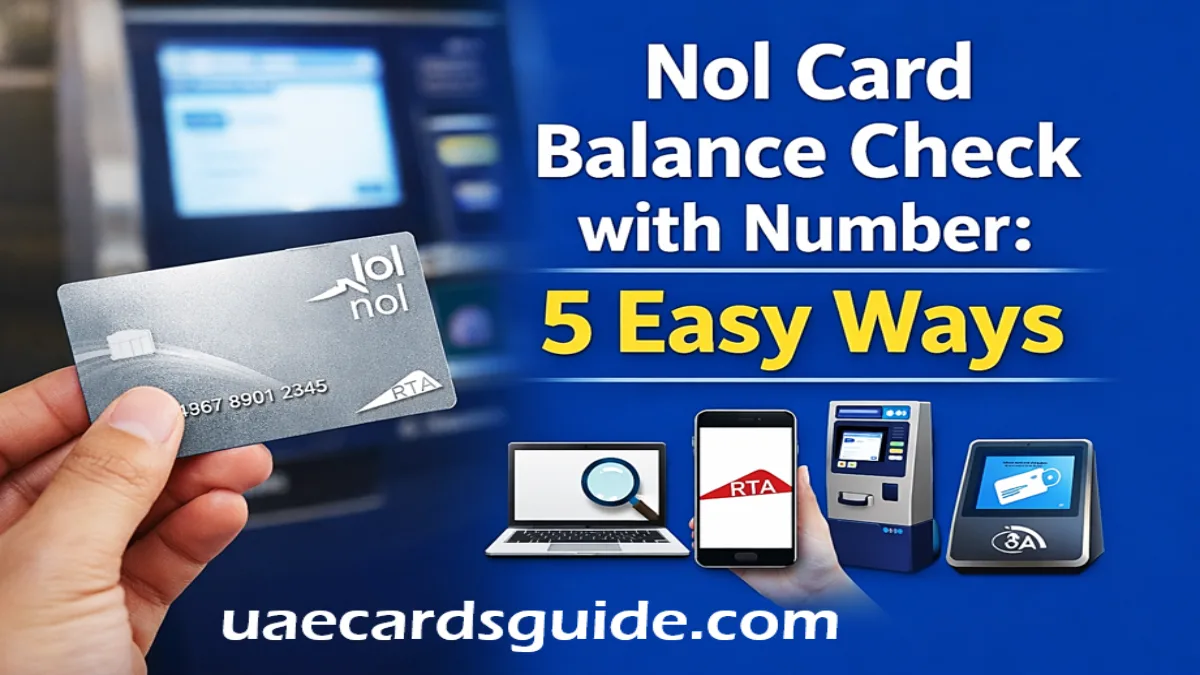
Nol Card Balance Check with Number: If you live in Dubai or are just visiting and use public transport, your Nol card is one of your most important possessions, carrying it with you almost every day. It’s needed for the metro, buses, trams, and even parking. From travelling on the metro and buses to paying for taxi fares or buying groceries on Zoom, it’s used for everything.
However, there’s nothing worse than arriving at a metro gate and seeing a red light flash because your balance is too low. To enter any station, your card must have at least AED 7.50. Therefore, it’s important to check your balance regularly so you don’t get stuck at the station gate.
In this guide, I’ll show you the easiest ways to check your Nol card balance using the number on the back of your card.
What is a Nol Card?
A nol card is a smart travel card introduced by the Roads and Transport Authority (RTA) in Dubai. Instead of paying with cash every time you travel, you can simply tap your NOL card at the gate.
You can use it for:
- Dubai Metro
- Public buses
- Dubai Tram
- Water buses
- RTA parking machines
- Some retail stores
There are different types of nol cards, such as Silver, Gold, Blue (Personal), and Red Ticket. Each card is designed for different travel needs.
Where to Find Your Nol Card Number?
Your nol card number is printed on the back side of the card. It usually has 10 to 14 digits. This is your Tag ID. This is the only number you need to check your balance online. Make sure you enter the correct number without any spaces when checking online.
How to Check Nol Card Balance with Number Online
There are several steps to check the NOL Card Balance with number online:
Checking Balance via the RTA Website (Fastest Way)
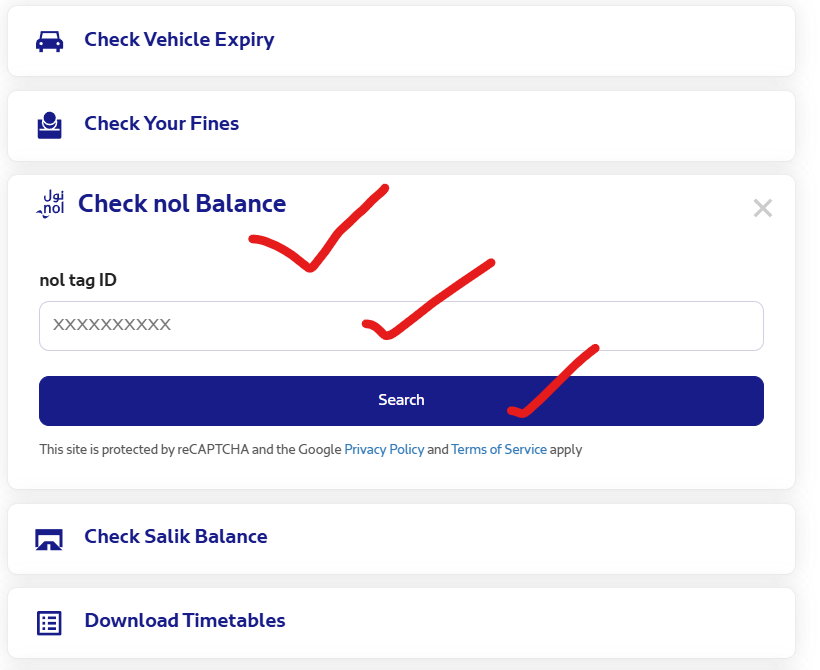
- Go to the official RTA website at RTA.ae (Direct Link Given Below)
- On the Homepage, choose and click on “Check Nol Balance.”
- Enter your NOL Card Tag ID or nol card number (It is printed on the back of the card).
- Click on the check or search button.
- Your current balance will be shown on the screen.
Direct link for checking NOL Balance
Check Balance Using the RTA Dubai App
You can also check your balance using the RTA Dubai mobile app. How to do it:
- If you don’t have NFC, you can still use the regular RTA app:
- Open the RTA Dubai app.
- Tap on the “nol” icon.
- Select “Check nol Balance.”
- Enter your Tag ID.
- Click on the Check your Balance.
Your balance will appear instantly on your phone.
Using the “NOL Pay” App (For NFC Phones)
If your smartphone has NFC (the technology used for Apple Pay or Samsung Pay), you don’t even need to type in the number.
- Download the NOL Pay app from the App Store or Play Store.
- Open the app and select “Check Card Info.”
- Hold your physical Nol card against the back of your phone for a few seconds.
- The app will read your card and show your balance, travel history and expiry date.
Check Nol Balance at Metro Stations or Bus Stops
If you are already at a Metro station or Bus Stops, you can:
- Vending Machines: Insert your NOL Card into any Silver or Gold ticket vending machine at the station. The machine screen will instantly display your current balance.
- Card Checking Readers: At most Metro stations, you will see small blue card readers fixed on the walls. Simply tap your nol card on the reader, and your remaining balance will appear within seconds.
You can also visit the customer service counter for assistance.
Check via SMS (No Internet Needed)
If you have run out of data or do not have a stable internet connection, you can use the SMS service.
- Compose a new message with your 10-digit Tag ID.
- Send it to 5111.
- You will receive a text back within seconds showing your remaining credit.
- Note: This service usually costs about 30 fils per SMS.
Minimum Balance Required for Travel
To enter the Metro or bus, you must have at least AED 7.50 on your card. If your balance is less than this, the gate will not open.
Therefore, you must avoid a low balance by:
- Check your balance before starting your trip.
- Recharge your card regularly.
- Keep extra balance for emergency travel.
Conclusion
Checking the Nol Card Balance Check with number is a very easy process. We have discussed several methods to check the balance, such as online, through the mobile app, or at Metro stations. It only takes a minute and helps you travel without stress.
You should check your balance frequently so that your trip to Dubai remains smooth and hassle-free.